.svg)
Effective Labeling and Barcode Strategy in the Mailroom


In the high-speed world of modern logistics, the "last mile of delivery" is often the most difficult. But for building managers and corporate office leads, the "last 100 feet" or the journey from the loading dock to the recipient’s desk is where the real problems happen.
The difference between a seamless delivery and a "lost" package often comes down to a few square inches of adhesive paper. A poor labeling strategy leads to manual data entry, "return to sender" errors, and frustrated tenants. A professional strategy, however, turns your mailroom into a high-throughput fulfillment center.
Here is how to perfect your internal labeling and barcode strategy.
The Anatomy of a High-Performance Internal Label

A carrier label (from UPS or FedEx) is designed for their network, not yours. To minimize errors, your internal label should be the primary source of truth once a package enters your building.
Essential fields include:
- Primary Recipient: The full name and, crucially, their department or suite number.
- Unique Internal Tracking Number (ITN): A specific ID generated by your mailroom software to track the item within your walls.
- Handling Instructions: Clear visual cues for "Perishable," "Fragile," or "High Priority."
- Original Carrier Reference: A small field for the original tracking number to help with cross-referencing if a dispute arises.
Choosing Your Logic: 1D vs. 2D Barcodes
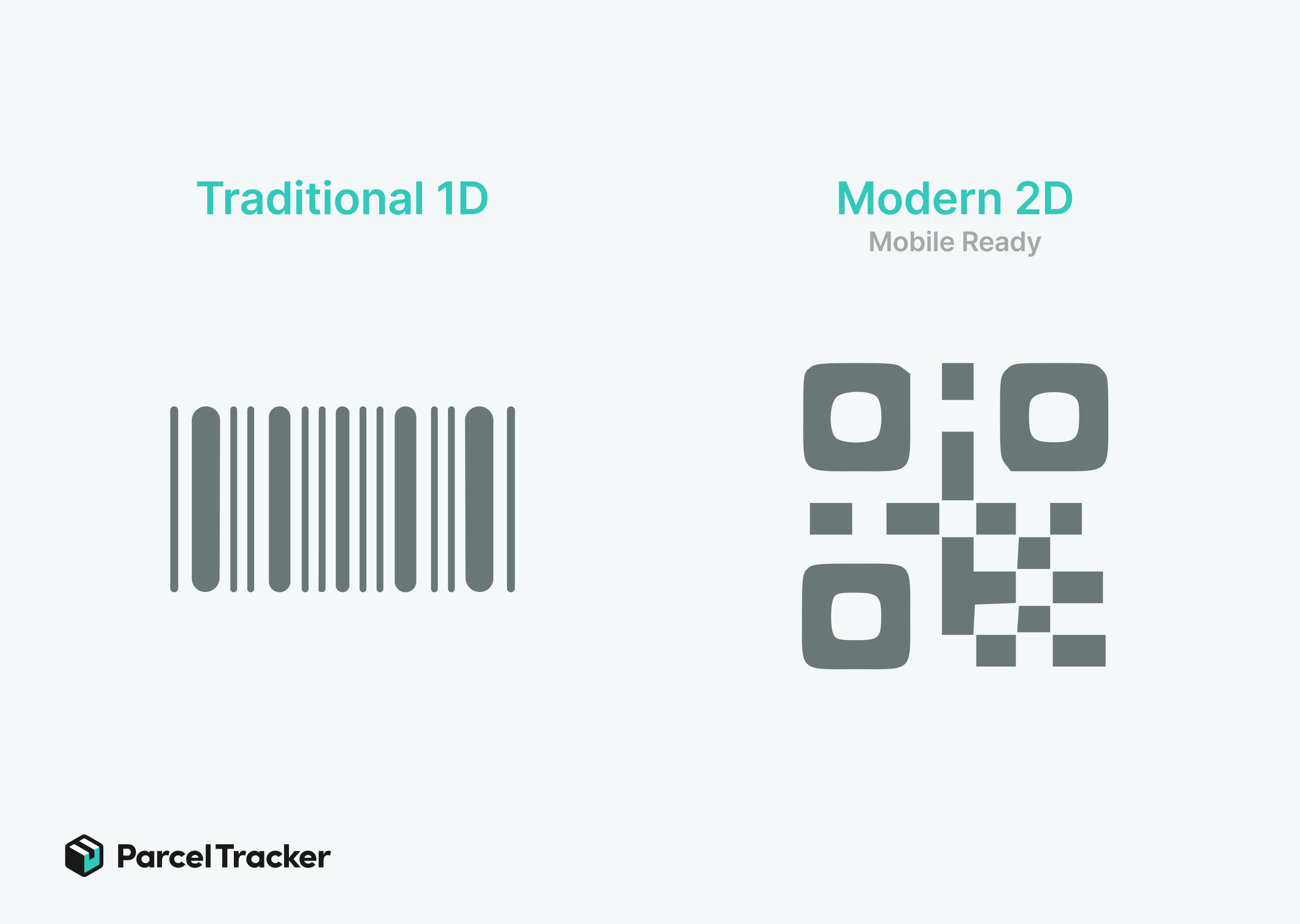
Not all barcodes are created equal. Your choice depends on the hardware your team uses.
- 1D Barcodes (Linear): These are the traditional "picket fence" codes. They are reliable and work with almost any laser scanner. However, they require a flat surface and can become unreadable if even a small portion is scratched or smudged.
- 2D Barcodes (QR Codes): For modern mailrooms, QR codes are the gold standard. They are "mobile-ready," meaning staff can use smartphones or tablets to scan them instantly. They also feature high error correction where a QR code can often still be read even if 30% of the label is damaged or dirty.
Technical Standards for Scannability
A barcode that won't scan is worse than no barcode at all, as it forces staff to resort to slow, error-prone manual typing.
- The "Quiet Zone": Always maintain a buffer of white space (at least 0.1 inches) around your barcode. If text or graphics are too close, the scanner won't be able to "find" the code.
- Resolution and Contrast: Use a thermal printer with at least 300 DPI (dots per inch). Avoid colored labels; high-contrast black ink on a white matte background provides the fastest scan rates.
- Thermal vs. Inkjet: Never use inkjet printers for mailroom labels. The ink smudges when wet. Direct Thermal printing is the industry standard because it’s heat-based, smudge-proof, and requires no expensive ink cartridges.
Strategic Label Placement

Where you put the label is just as important as what is on it.
- The "Top-Face" Rule: Train staff to place internal labels on the largest, flattest surface of the package. This allows for "batch scanning," where a staff member can scan multiple boxes in a row without flipping them over.
- Avoid the "Wrap": Never wrap a barcode around the edge of a box or the curve of a mailing tube. This creates a "picket fence" distortion that prevents the scanner from reading the full string of data.
- Clear of Obstructions: Ensure labels are never placed over seams, box flaps, or under heavy packing tape. Many types of clear tape reflect scanner lasers, causing a "glare" that results in a failed read.
Troubleshooting and Best Practices
- Standardize Your Sizes: Use a standard 4x6 or 4x4 inch label. Consistency allows your team to develop "muscle memory," knowing exactly where to look for information.
- Audit Your Hardware: Periodically clean the print heads of your thermal printers. A single "dead" heating element can leave a white line through your barcodes, rendering an entire batch of labels useless.
- The Re-Labeling Workflow: When a package arrives with a damaged carrier label, don't try to fix it. Immediately generate a fresh internal label to maintain the chain of custody.
Mailroom Data is the Foundation
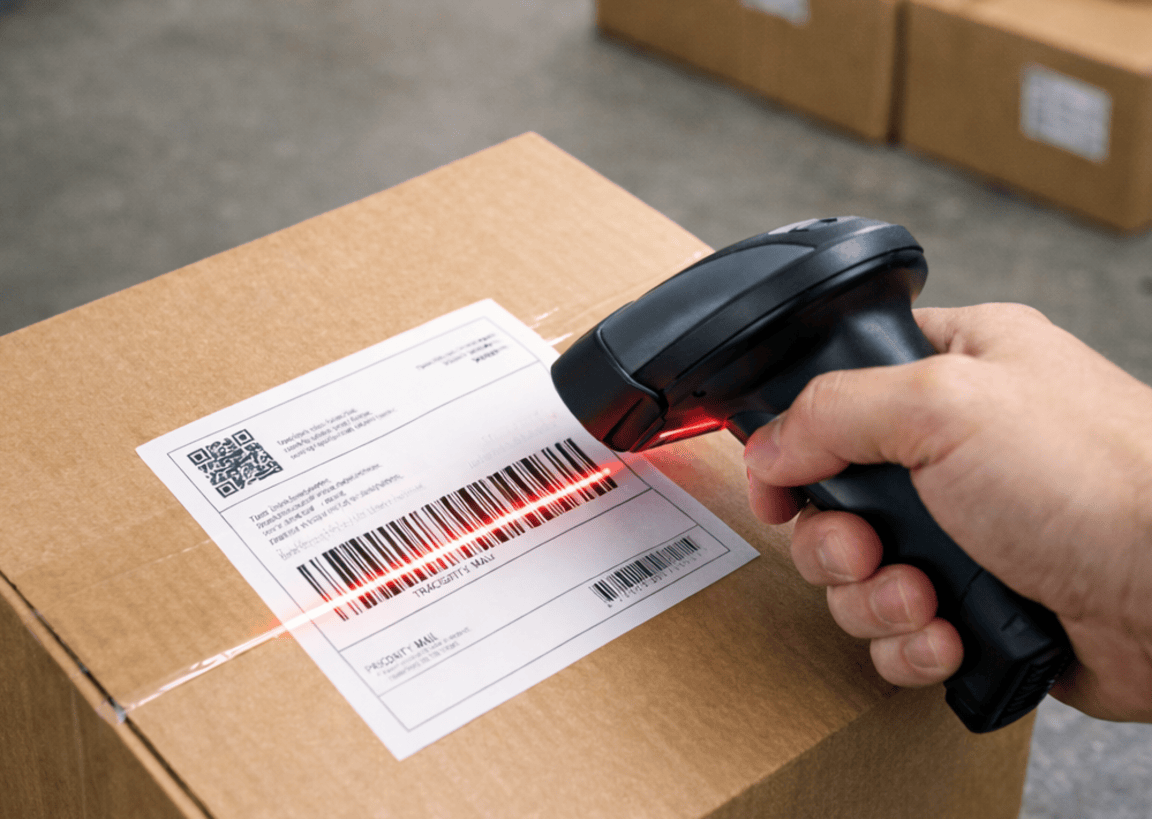
More than just a sticker, a label is the physical manifestation of your mailroom’s data. By implementing a standardized barcode strategy, you reduce the time spent on "search and rescue" for missing packages and enhance your facility's parcel management and overall professional image.
Consistency in labeling leads to 99.9% delivery accuracy and significantly reduced labor costs. To leverage a professional labeling strategy, you need mailroom management software that can easily recognize these codes. Parcel Tracker provides end-to-end visibility and mobile scanning capabilities to turn your labeling strategy into a seamless, automated workflow.


.svg)