
.svg)
Peak Season Proofing: How to Handle a 300% Volume Spike Without Hiring More Staff


Peak season is a familiar specter for any facility or mailroom manager. You know the signs, like the lobby starts to disappear under a mountain of cardboard, your inbox is flooded with "Where is my package?" pings, and your team is physically exhausted by midday.
Usually, the solution is to hire seasonal help or temporary staff who require weeks of training just to work for a few frantic months. But what if the budget isn't there? What if you’re expected to handle a 300% volume spike with the exact same team you have right now?

The secret isn't working harder, but working smarter. You need mailroom management that relies on intelligence rather than muscle.
Why Adding More People Isn't Always the Answer
When the pressure starts to build, it is tempting to just hire more people. However, for a manager who is already stretched thin, bringing in temporary help often creates more work than it saves.
- Training Burden: Every hour you spend teaching a temporary worker how to log packages is an hour you aren't on the floor keeping things moving.
- Cost of Mistakes: When things get busy, people making manual entries are bound to make mistakes. A misspelled name or a single wrong digit in a tracking number means you'll spend hours later trying to find a "lost" package that was right there all along.
- Wasted Money: The money spent on finding, hiring, and paying temporary staff is gone the moment the season ends. You pay to train them, but that experience walks out the door as soon as the rush is over.
Investing in internal parcel-tracking software is a one-time investment that gives you a digital teammate. It works around the clock, doesn’t make mistakes, and doesn’t need a training manual or a lunch break.
Moving from Manual Chaos to AI-Driven Workflows
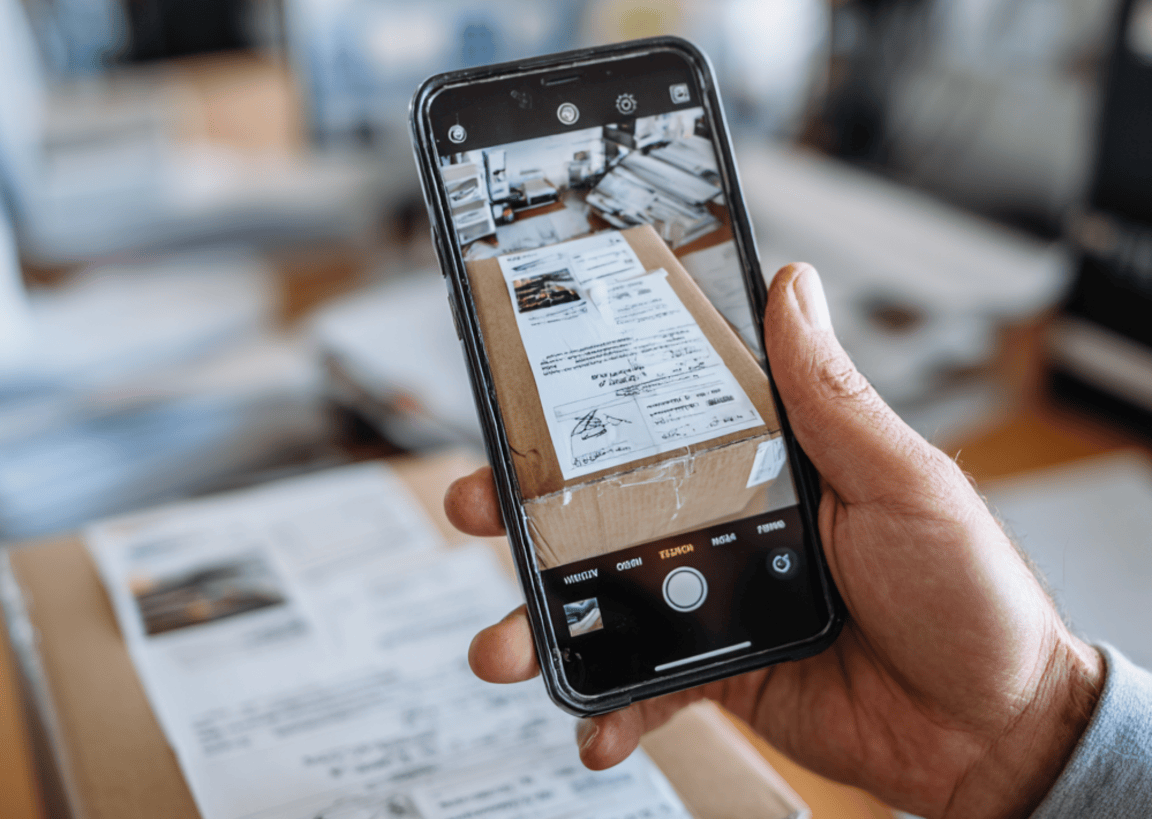
If your team is still using clipboards, spreadsheets, or manual logging, you have a bottleneck that no amount of coffee can fix. To survive a 300% spike, you must transition from manual entry to automated package management.
The Power of Batch Scanning
The greatest time-thief in the mailroom is the one-by-one check-in process. Modern mailroom management software utilizes AI-driven Optical Character Recognition (OCR). Instead of typing, your team can use a smartphone or tablet to scan dozens of labels in a single go.
The software identifies the recipient, logs the carrier, and sends an automated notification instantly. You move from a "Find, Type, Notify" workflow to a "Scan and Go" reality.
The Pre-Peak Checklist
When volume hits 300%, you don't have time to troubleshoot. Use this checklist to ensure your mailroom management is bulletproof before the first wave of deliveries arrives.
Infrastructure and Physical Flow
[ ] Map the One-Way Workflow: Designate a specific drop-off entrance and a separate pick-up exit to prevent bottlenecks.
[ ] Optimize High-Velocity Shelving: Clear out the shelves closest to the door for the most common package sizes to minimize walking time.
[ ] Audit Scanning Hardware: Ensure all mobile devices and scanners are up to date, and that you have functional charging stations to avoid mid-shift battery deaths.
[ ] Clear the Deadwood: Perform a shelf sweep now. Return or redirect any unclaimed parcels that have been sitting for over 30 days.
Software and Automation Setup
[ ] Scrub the Directory: Sync your mailroom management software with your latest employee or resident list. A clean database prevents errors during package management.
[ ] Test Batch Scanning: Ensure your team is proficient with AI-driven batch scanning. Practice scanning 10+ labels at once to ensure the software is calibrated for your lighting.
[ ] Update Notification Templates: Customize your automated alerts to include peak season instructions (e.g., "Please pick up within 4 hours due to high volume").
[ ] Enable Digital Signatures: Switch to contactless or digital-only proof of delivery to eliminate paper logs and speed up the hand-off process.
Operations and Strategy
[ ] Identify Peak Arrival Windows: Review last year’s data in your delivery tracking software to see exactly when carriers usually arrive.
[ ] Stagger Staff Breaks: Use your data to schedule breaks before or after those peak arrival windows, never during.
[ ] Set Stale Package Triggers: Configure your parcel management system to send automated 24-hour and 48-hour reminders to recipients to keep floor space clear.
[ ] Establish an Oversize Zone: Designate a designated area for bulkier items to prevent them from obstructing the flow of standard parcels.
Work Smarter, Not Longer

Peak season doesn't have to be a season of burnout. By shifting the heavy lifting from your staff to your software, you can handle a 300% increase in deliveries with a calm, organized, and cost-effective operation.
Efficiency isn't about running faster through the mailroom, but about removing the hurdles in your way.
Ready to peak-proof your mailroom for the next big rush? Modernize your workflow and reclaim your time with a dedicated mailroom management software like Parcel Tracker.
Expert FAQ
Why is software more effective than seasonal hiring during a volume spike? Seasonal staff require time to train and often struggle with the learning curve as volume peaks. Software, on the other hand, scales instantly. It allows your existing, experienced team to process three times as many packages in the same amount of time by removing manual entry and "search and rescue" tasks.
What is the most significant bottleneck in traditional mailroom management? The biggest bottleneck is manual data logging. When a staff member has to manually type names, carrier details, and tracking numbers for every parcel, the intake process slows down significantly. This creates a backlog that spills into the lobby and delays notifications to recipients.
How does batch scanning improve the speed of package management? Batch scanning uses AI to read multiple shipping labels simultaneously through a camera or scanner. Instead of processing one item at a time, your team can check in a whole trolley of deliveries in seconds. This instantly notifies all recipients and keeps the intake area clear.


.svg)

